
Infidelity and digital deception leave behind a psychic weight that often manifests as a missing text or a vanished chat thread. When a spouse begins to purge their digital communication history, the instinct to seek the truth is a survival mechanism. They assume that by clicking "Delete For Me" or "Delete For Everyone," the record of their actions is erased from existence. But in the world of mobile forensics, absolute deletion is an illusion. The truth is often buried deep within the local storage of the device, waiting to be reconstructed.
If you are desperate to extract deleted WhatsApp messages from an Android local backup, you are entering the world of SQLite databases and cryptographic keys. Every conversation on WhatsApp is stored in an encrypted file on the internal memory of the phone. While this data is designed to be inaccessible to the average user, certain technical pathways allow an investigator to dump the database and decrypt its contents. Below, we provide a professional level walkthrough of how these tools are deployed and why the journey is fraught with significant risks.
Identifying the WhatsApp Extraction Path and Database Architecture
Before any recovery can occur, you must locate the "Anchor Point" of the data. On an Android device, WhatsApp stores its chat history in a specific directory within the internal storage. This is typically found at the path /sdcard/WhatsApp/Databases or within the private application data folder. The files you are looking for are named with a specific convention, such as msgstore.db.crypt14 or msgstore.db.crypt15. The number at the end represents the version of the encryption used to protect the data.
These files are not human readable. They are encrypted containers that hold the entire history of every message sent or received. Even if a message is deleted within the application interface, the underlying database often retains "fragments" or "orphaned records" in the unallocated space of the SQL file. To access these fragments, an investigator must first secure the Decryption Key, which is a tiny 32 byte file stored in a protected system directory that is usually inaccessible without high level administrative permissions.
The Technical Tool Logic: Database Extractor Automation
Manually extracting the decryption key and the database is a complex process that involves significant risk. To streamline this workflow, professional researchers and OSINT experts utilize automated scripts that simulate a legacy environment to trick the operating system into releasing the key. One of the premier tools for this objective is the WhatsApp Key Database Extractor.
This script operates by utilizing the Android Debug Bridge (ADB) to interact with the device. It attempts to install a "legacy version" of WhatsApp that allows for a "Backup Trigger" without encryption. During this temporary window, the script captures the decryption key and then reverts the application to its original state. This is a delicate operation that requires precise timing and a deep understanding of the Android stack.
Decrypting the crypt14 Database via GitHub Scripts
To deploy this framework, an investigator must configure a forensic workstation with the appropriate technical dependencies. This is not a process for the faint of heart, as it requires moving through the command line and managing multiple software environments simultaneously.
1. Environment Configuration: The workstation must have Java Development Kit (JDK) and Python 3 installed. These languages provide the logic needed to handle the decryption algorithms and display the extracted results in a readable format.
2. Source Acquisition: Always pull the extraction scripts directly from the source repository to ensure that you are using the most stable version of the decryption logic.
- Official Tool Link: WhatsApp Key Database Extractor on GitHub
3. The Deployment Commands: Once the device is connected via a secure USB cable with USB Debugging enabled, the sequence is initiated through the following terminal commands:
# Clone the forensic repository
git clone https://github.com/YuvrajRaghuvanshiS/WhatsApp-Key-Database-Extractor.git

# Navigate to the tool directory
cd WhatsApp-Key-Database-Extractor

# Execute the extraction script
python3 wa_exporter.py
During execution, the script will prompt you to "Back up my data" on the Android screen. If successful, it creates a folder on your workstation containing the extracted key and the decrypted msgstore.db file. You can then open this file using any standard SQLite Browser to view every conversation, including time stamps and contact identifiers that were previously invisible.
The Rooting Wall of Friction: A Dangerous Digital Barrier
While the automated scripts work on many older devices, modern Android phones like the Samsung Galaxy S24 or the Google Pixel 8 have implemented a severe "Wall of Friction" known as File Based Encryption (FBE). This security architecture ensures that the decryption key is only accessible when the device is unlocked and the system is fully authenticated. To bypass this on a modern device using open source tools, the phone must be Rooted.
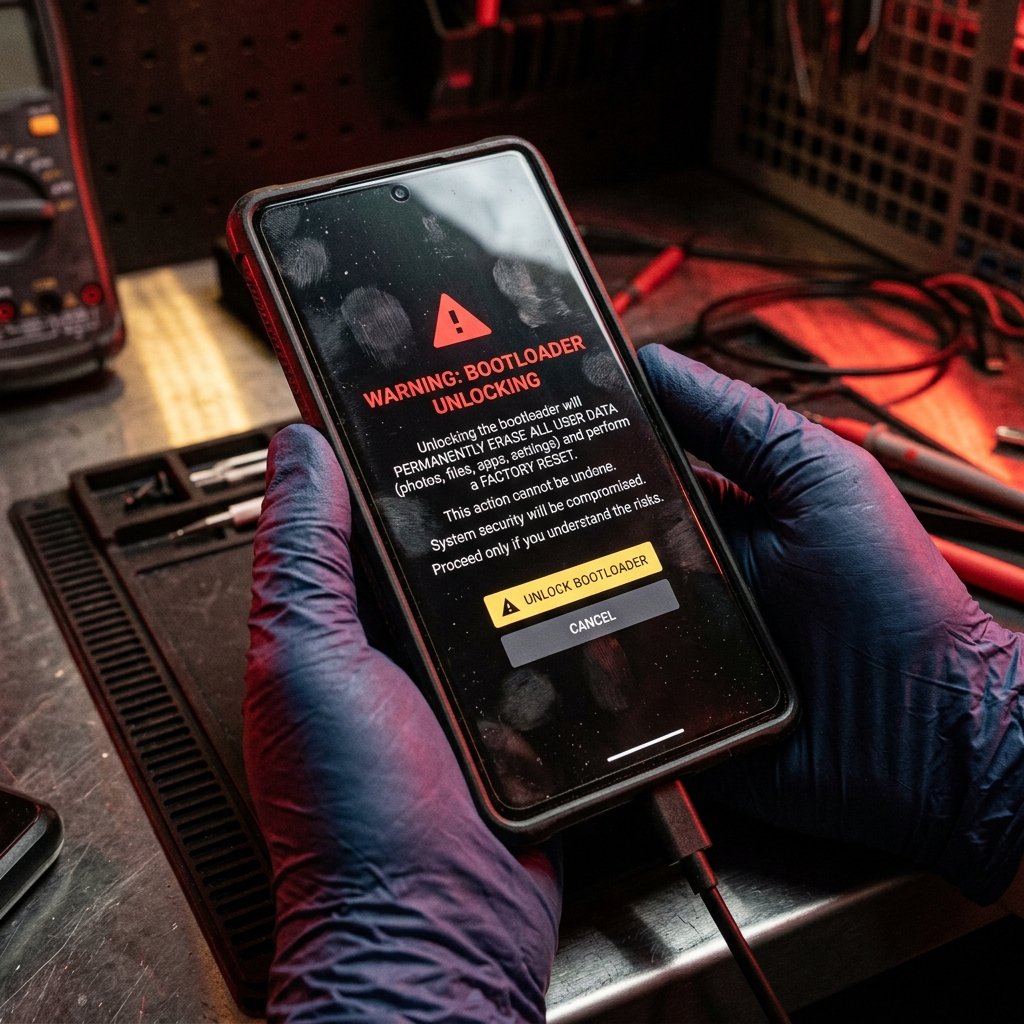
This is where the DIY investigation often turns into a disaster. To root a modern Android device, you must Unlock the Bootloader. When you perform this action on almost any modern smartphone, the device triggers a Factory Reset as a security measure. This process wipes every byte of data on the internal storage, including the very WhatsApp database you are trying to recover. You achieve access to the system, but you destroy the evidence in the process. This is the ultimate trap for the amateur investigator.
Data Destruction Hazards and Operational Security Risks
Beyond the risk of a factory wipe, there is the issue of Operational Security (OpSec). Rooting a phone often results in "Knox" or "SafetyNet" being tripped. This can cause various banking apps and secure services to stop working. If the target of your investigation is your spouse, they will immediately notice that their phone is behaving strangely. They will receive notifications about "Unverified Software" or "Security Risks," tipping them off that their device has been tampered with. This destroys your secrecy and gives the guilty party time to delete cloud backups or change passwords.
Furthermore, using non professional scripts can result in a "Soft Brick" of the device, where the phone becomes stuck in a boot loop. Recovering from this state requires a high level of technical skill and often results in further data loss. You are not just risking the evidence; you are risking the physical integrity of the device itself.
Professional Forensic Attribution: The Enterprise Solution
At Trusted Private Investigators, we do not rely on high risk rooting methods or amateur scripts. We utilize Enterprise Grade Forensic Hardware that allows for the non destructive extraction of data from even the most secure Android devices.
Advanced Physical Extraction via Cellebrite
Our team utilizes specialized investigative hardware like Cellebrite Premium, which allows for "Physical Extractions" at the chipset level. We can bypass screen locks and security barriers without unlocking the bootloader or triggering a factory reset. This ensures that the data remains intact and that the "Chain of Custody" is preserved. We recover deleted data from the raw hex of the memory chips, finding messages that were deleted months or even years ago.
Securing Undeniable Proof for Litigation
If you intend to use recovered messages in a divorce or a custody battle, "screenshots from a Python script" are often inadmissible. Our investigators produce Certified Forensic Reports that are recognized by legal systems worldwide. We provide the expert testimony needed to verify that the extracted messages are authentic, ensuring that the truth is supported by total legal certainty.
The Enterprise Pivot: Stop the Guesswork with TrustedPI
The pain of being lied to is a burden you should not have to carry alone. Trying to navigate the dangerous world of bootloader unlocking and database decryption while under emotional stress is a recipe for catastrophic data loss. You deserve a solution that is safe, stealthy, and definitive.
The difference between a "DIY search" and a "Professional Investigation" is the Integrity of the Data. One risks everything for a clue; the other secures everything for a victory. If you suspect your partner is using WhatsApp for clandestine purposes, do not risk destroying the evidence with amateur methods. You deserve professional protection and undeniable proof.